Favicon Rotator

Easily Add a Favicon to any Wordpress Site

Favicon Rotator is a WordPress plugin that makes it incredibly simple to add favicons and touch icons to your site.  Favicon Rotator has been tightly integrated into WordPress’ media library to allow you to upload and add a favicon to your site quickly and easily.  If you know how to add an image to a post, you can add a favicon to your site with Favicon Rotator!

What’s in a name…

Favicon Rotator gets its name from its unique support for multiple icons.  If you add more than one icon to the list, Favicon Rotator will rotate through the different icons, randomly displaying a different icon when a user visits your site. F-R-E-S-H

Highlights

  • New: Add icon for Touch devices (Android, iPhone, iPad, iPod Touch, etc.)
  • Simply point and click to add a favicon to your site
  • Supports adding multiple icons, from which a randomly selected favicon will be displayed.
  • Automatic icon conversion for large images (smaller files and faster loading)

Usage

  1. Install and Activate plugin
  2. Go to the Appearance > Favicon page from the administration menu
  3. Click the “Add new” button to upload or select icons to use from your media library
  4. Click the “x” button in the upper right-hand corner to remove any icons you no longer want in the rotation.
  5. Save changes and you’re done!  The favicon(s) you’ve selected will now be displayed when someone visits your site.

Notes

Support

Found a bug or otherwise experiencing an issue with Favicon Rotator? Report the issue here.

Screenshots
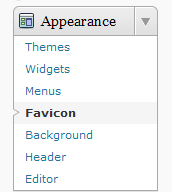
Favicon submenu in Appearance Admin Menu
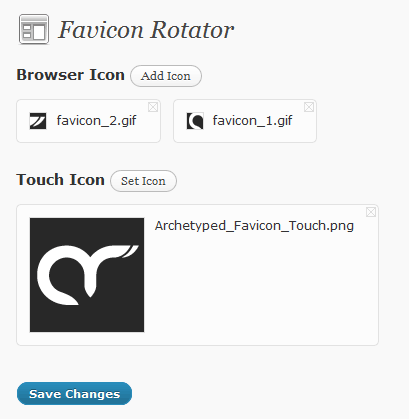
Browser Icon Management

Details

Version:
1.2.3
License:
GPL v2

Download

Discuss

39

Sol

July 31, 2012 6:15 pm

@Mat: Favicon Rotator (FIR) currently supports touch icon dimensions of 114px x 114px, which are ideal for iPhones with Retina displays. If you upload larger images, FIR will generate an optimized icon at these dimensions.

A future update of FIR will support multiple icons and higher resolutions now that icon support is growing.

Mat

August 3, 2012 5:40 am

Thank You! :)
I have one more feature suggestion for the Plugin. Can I? It is possible to have the ability to display favicon of the blog when I am in dashboard? It could gives me better overview of my tabs when im working around the sites I handle.

Sol

August 3, 2012 6:39 am

@Mat: Feedback is always welcome! Displaying the icon in the admin dashboard is definitely planned not least of all because it is something that I want for my sites as well.

Joe

October 14, 2012 3:08 pm

it doesn’t work with the Desire theme by Nischal Maniar

Sol

October 16, 2012 7:29 am

@Joe: I’ve just tested Favicon Rotator with the Desire theme and the favicon is displaying properly.

Can you provide a link that exhibits the issue you’re experiencing? Please see the “How to report an issue” section above for other details that would be very helpful in resolving your issue.

Jordan Bates

March 4, 2013 8:15 pm

My issue is on http://www.refinethemind.com. I’m using the latest version of WordPress on my blog. I have many other plugins. Favicon is not displaying on Chrome or IE. Displays fine on Mozilla last time I checked. Any suggestions?

Sol

March 5, 2013 7:14 am

@Jordon: Looks like your theme (Genesis) is loading a favicon of its own as well. This can cause issues in some browsers, so I would recommend removing the theme’s favicon.

Let me know how you get on.

Jordan Bates

March 5, 2013 9:06 am

Thanks for the prompt reply, Sol. I actually figured out how to load my favicon manually shortly after leaving that comment. As I don’t need the rotating feature, I no longer need your plugin. Thanks again. Keep doing what you do.

Sol

March 5, 2013 10:34 am

@Jordan: Glad to hear it!

Tyler

March 24, 2013 11:16 am

The favicon will not display for my website in any browser. I have both the browser and touch icon set. My theme is EvoLve by Theme4Press. Do you have any advice for me?

Sol

March 25, 2013 9:51 am

@Tyler: I would love to help. Please see the Support section above to report your issue so that it can investigated further.

Leave a comment

Please report issues and other support requests via Favicon Rotator's official support system.

Comments containing support requests will be deleted immediately.